2–3×
Designs get rebuilt
Teams rebuild UI that already existed in Figma or v0 because it is not in their stack or design system.

Prototyping
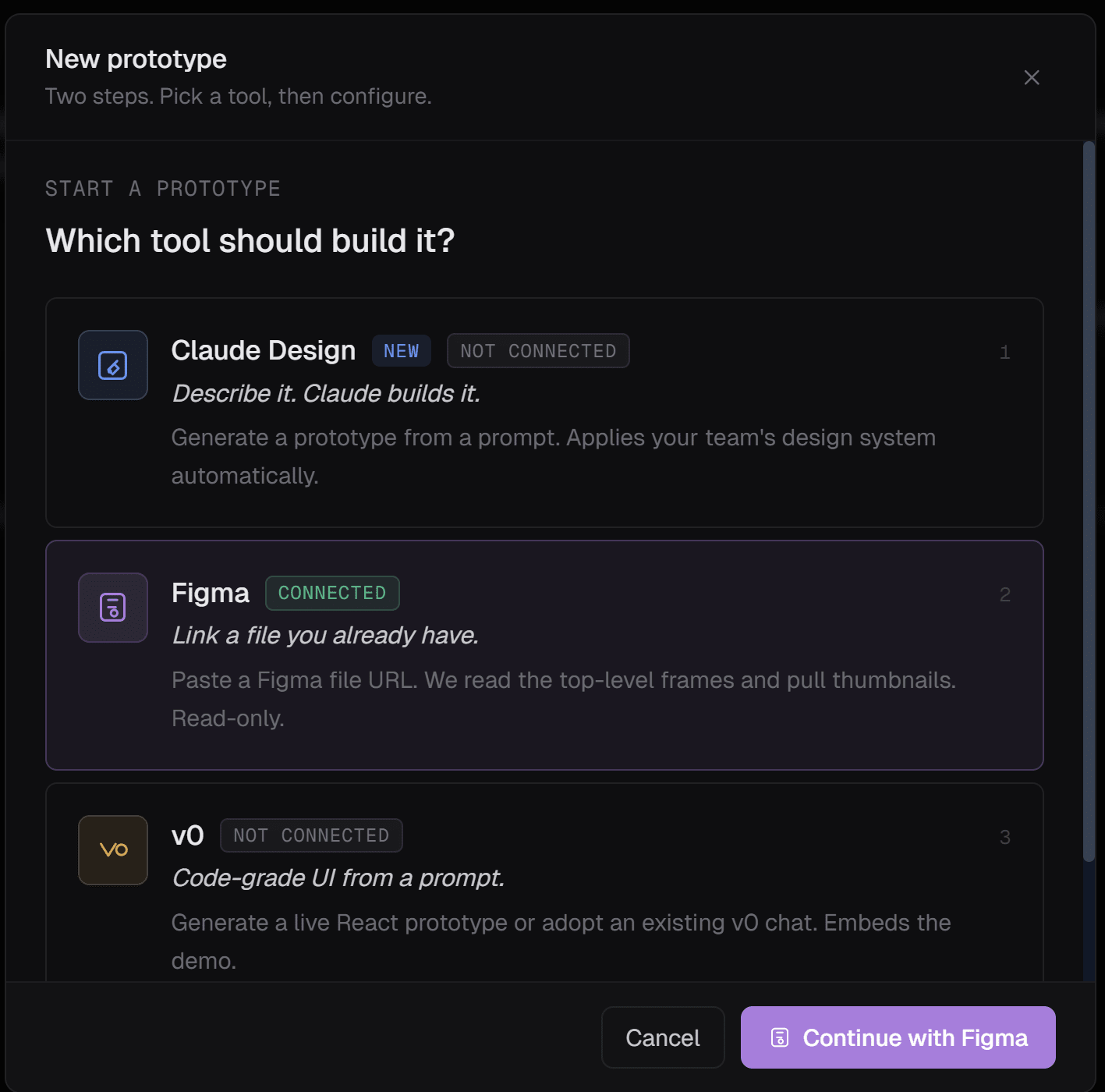
Figma, v0, or Claude Design in. Your stack out.
The category
A pretty preview is only half the job. Arvad lands typed components wired toward your backend, with the same checks and run record as any other build.
Official Figma, v0, and Claude Design APIs fetch the artifact you already made.
Output matches your framework, design tokens, and repo entry point.
Forms wire to real endpoints; gaps get typed stubs.
One PR with Storybook, tests, and a11y, same run evidence as any generate.

The gap
You design fast, then spend weeks rebuilding for real. The handoff burns time and morale.
2–3×
Teams rebuild UI that already existed in Figma or v0 because it is not in their stack or design system.
70%
Inline styles, fake data, no auth, no real API.
Days
Days lost mapping Figma to your components, tokens, and layout primitives.
0
Wiring to your API, auth, and schema stays on you.
Keep the tool that helped you think. Arvad picks up where it left off and writes into your repo.
Paste a frame URL. Arvad fetches via the official Figma API, maps layers to your components, and writes typed code in your stack.
Stays in the workspace with plan and checks
Hand over a v0 link. Arvad rewrites it against your React patterns, tokens, and state.
Stays in the workspace with plan and checks
Bring Claude Design intent. Arvad turns it into code that compiles against your `tsconfig`.
Stays in the workspace with plan and checks
Public preview URLs work too. Bring the artifact; keep the speed.
Stays in the workspace with plan and checks
If you have a `Button`, output uses it. If you do not, Arvad proposes one in your primitives’ style.
Stays in the workspace with plan and checks
Forms get real endpoints. Lists get real queries. Mutations stay typed. The prototype talks to your API on the first commit.
Stays in the workspace with plan and checks
Hover, focus, loading, and empty states, not only the happy path.
Stays in the workspace with plan and checks
TypeScript, a11y attrs, responsive layout, dark mode if your app supports it. PR-ready.
Stays in the workspace with plan and checks
Arvad sits where the thread keeps the plan, staging, spend, and checks.
| Capability | Generic AI prototyping tools | Arvad prototyping |
|---|---|---|
| Source input | Prompt only | Figma, v0, Claude Design, or your prompt |
| Output stack | Their default | Your stack and conventions |
| Design system | Ignored | Detected and used |
| Backend wiring | Mocks | Real endpoints, typed |
| States covered | Happy path | Loading, empty, error, hover, focus |
| Accessibility | Ad hoc | A11y attrs and keyboard paths |
| Lands as | A demo URL | A PR on a feature branch |
Paste the design, confirm your stack, wire real endpoints, land one reviewable PR.
Paste the design, confirm your stack, wire real endpoints, land one reviewable PR.
A Figma frame, a v0 link, a Claude Design URL, a Lovable preview, even a screenshot. Arvad fetches what it can through the official APIs and reads the rest visually, so the source of the prototype is whatever you already used to think it through.
Faster
Faster path from prototype to PR
Thin rebuild tickets often compress from days to under an hour.
Branch
Default is a feature branch
Stakeholders click real code, not only a preview.
Tokens
Uses tokens from your tokens file
Spacing, color, typography when present.
4
Four sources, one PR shape
Figma, v0, Claude Design, Lovable.
Limits stated plainly. No demo theater.
One question
If you cannot, you still have a chat log. Arvad keeps that work in one workspace.
Keep exploring
Paste the link. Keep the run record with the PR.